If you’ve ever stood in front of a horizontal machining center (HMC) at a job shop or production facility, you know how much of a difference small parameter tweaks can make. I’ve been selling HMCs for 12 years, and I’ve seen it all: a job that was running 5 parts an hour suddenly jump to 8 after adjusting just a few spindle feed parameters, or a batch of parts that were coming out with 0.2mm tolerance errors get back within spec just by re-calibrating axis acceleration. Too many new operators and even some seasoned ones treat parameter adjustment like a black box—they either stick to the factory defaults or jump to expensive fixes when something goes wrong. Today, I’m breaking down how to adjust HMC parameters the right way, from the perspective of someone who installs these machines every week and troubleshoots them just as often. Horizontal Machining Centers
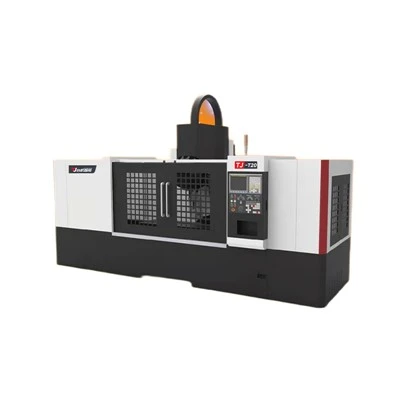
First, let’s get clear on what HMC parameters actually are, because there’s a lot of confusion here. Unlike G-code, which is the program that tells the machine where to move, parameters are the internal, machine-specific settings stored in the HMC’s controller (think Siemens 840D, FANUC 31i-B, or Okuma OSP-P) that define how every part of the machine behaves. They cover everything from axis speed limits, backlash compensation, spindle torque thresholds, even how the machine responds to a collision. Factory defaults are set for a “average” setup, but no two jobs, materials, or workholding rigs are exactly the same. That’s why adjustment is non-negotiable for getting the most out of your HMC.
Before you touch a single parameter, though, there’s a pre-check step that 90% of people skip, and it’s the most important part of the process. I can’t tell you how many times I’ve arrived at a customer site to fix a “bad machine” only to find they never verified their workholding or tooling first. For example, if your vice isn’t torqued down to the spec our team set during installation, adjusting feed rates higher will just make the part shift, leading to errors you’ll incorrectly blame on axis parameters. The pre-check list is simple, and I make every customer go through this before even accessing parameter settings:
- Confirm tooling quality: No worn tool holders, no chipped inserts, and make sure your tool length and diameter offsets are correctly input. A 0.1mm error in tool offset will throw off your work, even if all parameters are perfect.
- Verify workholding rigidity: For a horizontal machine, parts hang off the table, so any flex in the vice, tombstone, or fixture will amplify at higher feeds. Torque all bolts to the manufacturer’s specs, and check for play by wiggling the part manually.
- Calibrate the machine’s home position: HMCs rely on consistent home positions to maintain tolerance. If you’ve moved the machine recently (or even if it’s just been a few months), run a home return cycle with the reference tool we provide for calibration.
- Document your current settings: Before changing anything, write down (or export via the controller’s USB port) all relevant parameters. If a tweak goes wrong, you’ll need to revert fast.
Once that pre-check is done, you can move into adjusting the core parameters that matter most for most jobs. Let’s break these down by use case, since a parameter tweak for a high-volume aluminum cut will be totally different than for a heavy steel roughing job.
First, axis acceleration and deceleration parameters (often called “servos gain” parameters, usually numbered 1825 for FANUC or 32200 for Siemens). These control how fast the machine’s axes speed up and slow down during a move. For years, I told customers to leave these at factory defaults, but a few years back, we had a customer making small medical implants out of titanium on a 500mm HMC. They were running 20 parts a day, and the tool life was only 10 parts. We tested their axis acceleration: set too high, so the tool was vibrating so much it was wearing out fast. We dropped the acceleration from 0.8G to 0.5G, and tool life jumped to 45 parts. For that same job, increasing acceleration isn’t a win—vibration kills tool life and surface finish. On the flip side, if you’re running high-volume aluminum parts for a automotive component, cranking acceleration up to 1.2G cuts cycle time by 15% without any loss in tolerance, as long as your workholding is rigid enough. The rule of thumb here: test acceleration in small increments (start with 10% above factory default) and check for visible vibration on the part or tool. If the part’s surface finish looks wavy, dial it back.
Next, spindle speed and torque parameters. HMCs spin a lot faster than vertical machining centers, but that speed isn’t always optimal. For roughing operations in carbon steel, for example, you don’t need 10,000 RPM—you need low spindle speed, high torque, to cut through heavy stock without straining the tool. The parameter here is usually the spindle torque limit, which prevents the machine from applying more force than your tool and part can handle. I see a lot of operators set this to 100% for every job, which is a mistake. If you’re running a finishing pass on aluminum, 60-70% torque is more than enough, and it reduces wear on the spindle bearings. For heavy roughing on Inconel, you might need 90% torque, but you’ll also want to adjust the spindle speed down by 20-30% from the factory default for that tool. A quick note here: never adjust spindle torque without checking your tool’s material spec. A carbide end mill can’t handle the same torque as a high-speed steel one, and applying too much will snap the tool mid-job, which can damage the HMC’s spindle or worktable.
Backlash compensation is another critical parameter, and it’s one that almost all new operators get wrong. Backlash is the tiny play between the axis screw and the nut that makes the machine reverse direction. If this isn’t compensated for, you’ll get inconsistent tolerance on walls or corners, especially on circular cuts. The parameter for backlash is usually stored per axis, and the way to adjust it isn’t just plugging in a number. First, you need to measure backlash yourself: use a dial indicator mounted to the machine’s table, move the axis in one direction, then reverse it, and the difference in the indicator reading is your actual backlash. Most factory defaults are set to 0.02mm, but old machines or heavy HMCs can have up to 0.05mm of backlash. If your measured backlash is higher than the default, adjust the parameter to match, and test it with a square cut: if the corners come out sharp, you got it right. I once had a customer who was complaining about 0.1mm tolerance errors on all their parts, and their backlash parameter was set to 0.01mm, but actual measured backlash was 0.04mm. Adjusting that single parameter fixed their problem overnight, no other changes needed.
Then there’s feedrate override and cornering parameters, which are great for adjusting on the fly, even after the machine is running a job. Feedrate override is the percentage you can adjust the programmed feedrate, usually from 0-150%. For finishing passes, I recommend setting the override to 90-100%: running too fast here will cause the tool to chatter on thin walls. For roughing, you can go up to 120% if your machine and tool can handle it. Cornering parameters, sometimes called “corner feed reduction,” are what the machine uses to slow down as it approaches a sharp corner, to keep the tool from overcutting. Factory defaults for corner feed reduction are often too aggressive for most jobs, making cycle times longer than they need to be. If you’re cutting square corners and they come out perfect, you can dial down the corner feed reduction by 10-15% to speed up the job. If the corners are overlapping or undercut, turn it up a little.
Now, let’s talk about common mistakes I see operators make when adjusting parameters, because these are the ones that lead to avoidable downtime. First, changing multiple parameters at once. If you adjust acceleration and torque on the same day and your part comes out bad, you won’t know which tweak caused the issue. Always adjust one parameter at a time, test it, then move to the next. Second, ignoring temperature. HMCs expand and contract with ambient temperature, especially the big cast iron frames. If you’re running a long batch of parts in a facility that swings 10 degrees between day and night, your parameters will drift. For that reason, I always tell customers to re-check backlash and axis parameters at the start of each shift, especially for jobs that run more than 4 hours. Third, using parameters from another machine. No two HMCs are exactly the same—even two machines off the same production line will have tiny differences in axis play or spindle performance. A parameter tweak that works on our entry-level HMC might cause issues on our high-torque model. Always test parameters on your own machine, not ones you saw on a job forum or another shop’s setup.
If you’re running a custom or high-precision job, there are a few advanced parameters worth adjusting, once you’ve got the basics down. These include vibration damping parameters (available on most newer Siemens and FANUC controllers), which reduce harmonic vibration in the axes during long moves. For a 1,000mm stroke HMC cutting a 800mm long groove, this can reduce surface roughness by 20% just by tweaking this setting. Another advanced parameter is table indexing accuracy, which adjusts how precise the horizontal table is when rotating between stations. For tombstone work, where you’re running multiple parts at once, getting this right ensures that every part is aligned to the same tolerance, no rework needed.
One of the biggest advantages of working with HMCs specifically, as a supplier, is that we build each machine with parameter flexibility in mind. Unlike older vertical mills that have limited adjustability, our HMC lines let you tweak parameters at every level, from basic axis settings to advanced controller configurations. But here’s the thing: parameters aren’t a one-time set-it-and-forget-it thing. As your jobs change, as your tooling wears, and as your machine ages, you’ll need to adjust them. A job that’s high-volume aluminum roughing this quarter might switch to small titanium finishing next quarter, and your parameters should adapt with it.
If you’re still unsure where to start, or if you’ve tried adjusting parameters and aren’t seeing the results you want, the best next step is to reach out to us for a consultation. We’ve helped hundreds of shops across industries—automotive, aerospace, medical, job shops—tweak their HMC parameters to boost cycle times by 20%, reduce tool wear by 30%, and hit tighter tolerances. We can also walk you through a live test of parameters specific to your job, so you don’t have to guess.
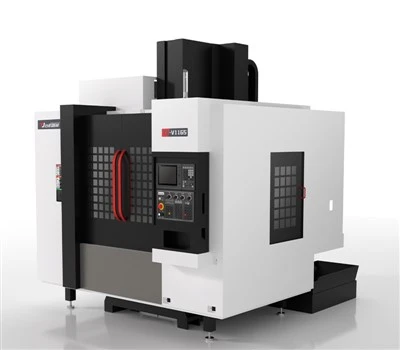
It’s easy to treat HMC parameters as a intimidating, technical thing only for engineers, but I’ve seen firsthand how small, thoughtful adjustments can transform a machine’s performance. You don’t need a degree in mechatronics to do this—just a clear pre-check list, a willingness to test small changes one at a time, and the right support when you need it. For more guidance on getting the most out of your horizontal machining center, or to discuss your specific production needs, get in touch with our team to start a conversation about how we can help optimize your HMC setup.
Five Axis Machining Center References
- FANUC Corporation. (2022). FANUC 31i-B Controller Parameter Manual.
- Siemens AG. (2021). SINUMERIK 840D sl Parameter Configuration Guide.
- Machining Technology Magazine. (2023). “HMC Parameter Adjustment for High-Volume Production.”
- Okuma Corporation. (2022). Okuma OSP-P HMC Setup and Calibration Manual.
Guangdong Taiji Intelligent Equipment Co., Ltd.
With abundant experience, we are one of the most professional horizontal machining centers manufacturers and suppliers in China. Please feel free to buy cheap horizontal machining centers for sale here from our factory. For price consultation, contact us.
Address: Room 107, Building 15, No. 911 Jian’an Road, Chang’an Town, Dongguan City, Guangdong Province
E-mail: sale@gdtaijicnc.com
WebSite: https://www.gdtaijicnc.com/
